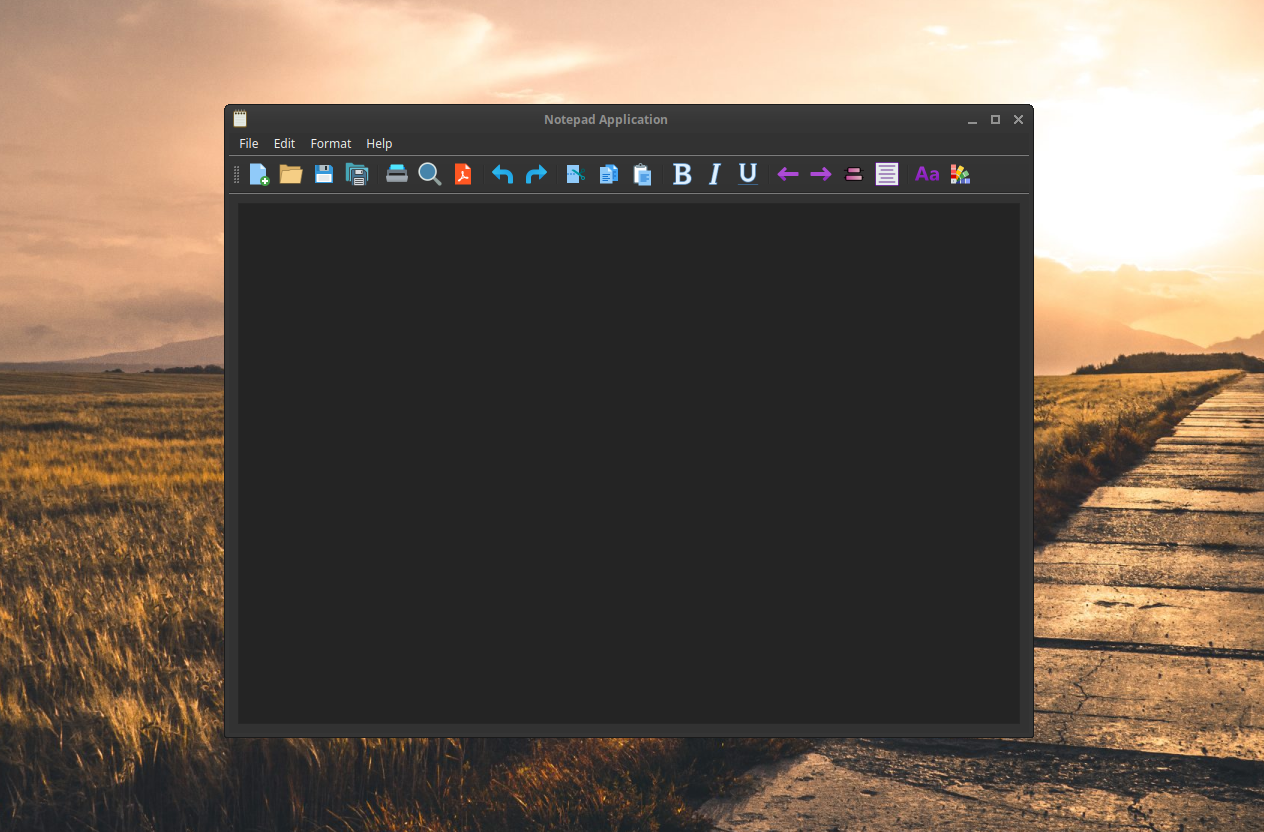
For this project, I created a notepad application for the desktop computer! It is made with Qt Creator — a C++ cross-platform integrated development environment (IDE) tool — so the application can be deployed to many different systems!
Purpose
I made this application because I always wanted to create a desktop application for the Linux operating system. A notepad application is a simple but effective way to help me learn more about desktop application development. I find a lot of use from my text editor application as I tend to take quick notes on my Linux desktop quite often.
Why Qt Creator?
Qt Creator has excellent documentation as they provide great tutorials and example code. Furthermore, they promote open source development (dual license business model) as they allow their source code to be available. Not only that, I was inspired by a few popular desktop apps that I frequently use that was built on the Qt framework such as VLC, QBittorrent, Krita, etc. A list of many more popular applications can be found here.
How it works
The application works by integrating button triggers to function calls. This is using Qt’s Signals & Slots system.
For example for the “Save” functionality, I connected the “actionSave” button from my user interface (UI) to my “save” function in my “MainWindow” class whenever it is triggered (clicked).
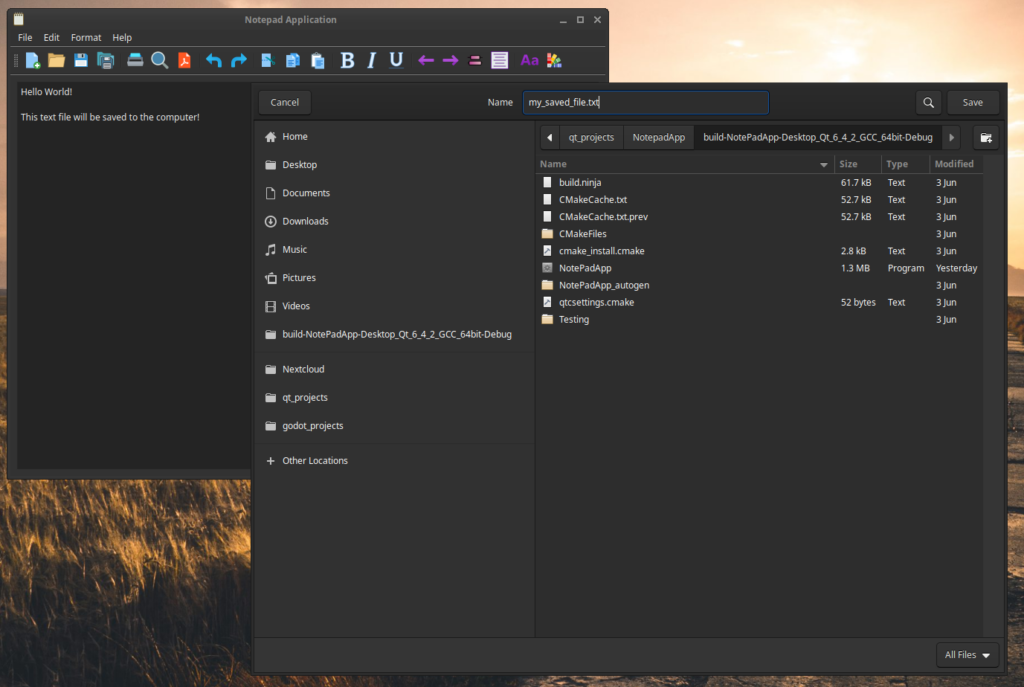
The “save” function checks if a current file has already been saved. If not, it will write out a new file with the user’s specified filename and location from a new dialog box.
ui->setupUi(this);
connect(ui->actionSave, &QAction::triggered, this, &MainWindow::save);

void MainWindow::save()
{
    QString fileName;

    if (currentFile.isEmpty())
    {
        fileName = QFileDialog::getSaveFileName(this, "Save");
        currentFile = fileName;
    }
    else
    {
        fileName = currentFile;
    }

    QFile file(fileName);
    if (!file.open(QIODevice::WriteOnly | QFile::Text))
    {
        QMessageBox::warning(this, "Warning", "Cannot save file. " + file.errorString());
        return;
    }

    setWindowTitle(fileName);
    QTextStream out(&file);
    QString text = ui->textEdit->toPlainText();
    out << text;
    file.close();
}
Functionalities
Here are the current functionalities of the app
- Saving to file and Loading from file
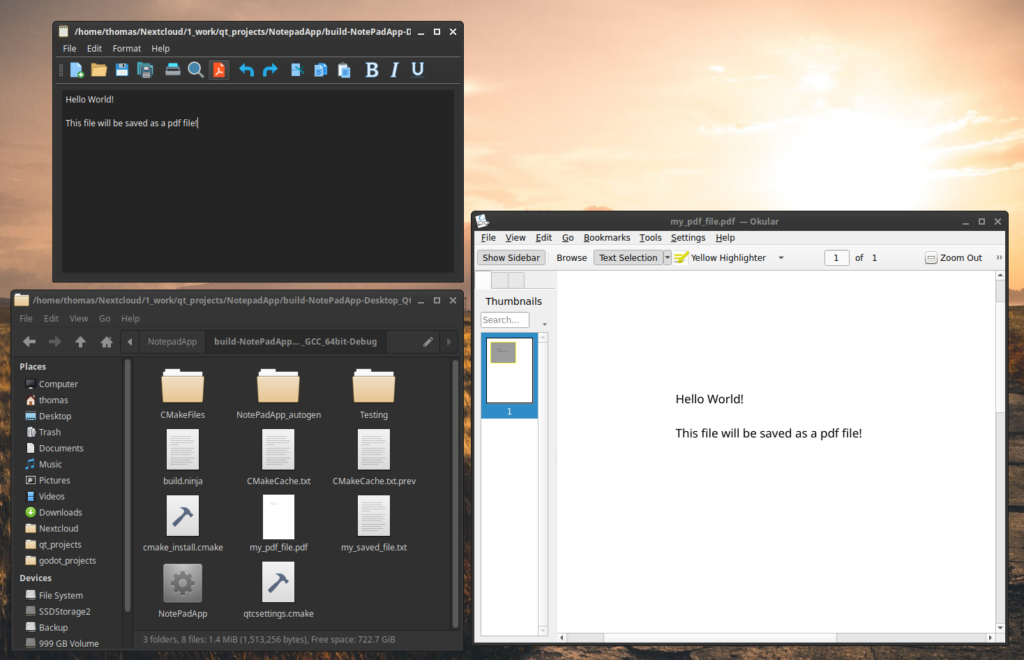
- Save to PDF
- Cut, Copy, and Paste
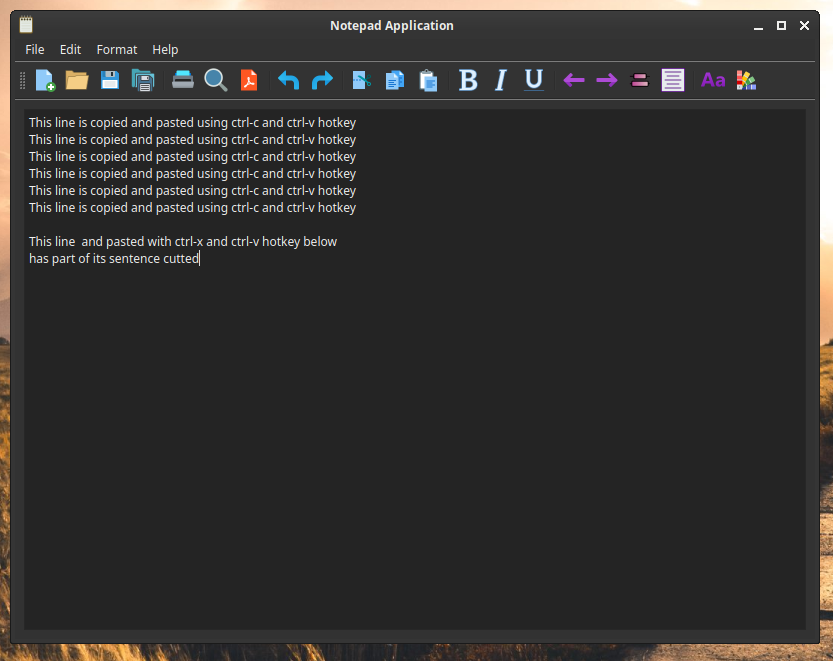
- Print to printer

- Undo and Redo (not pictured)
What’s next?
Some feature not yet implemented but are planned
- Bold, Italics, underline
- Justify left, Justify right, Center
- Font picker
- Color picker