In this project, I created a continuous integration and continuous delivery (CI/CD) pipeline using AWS cloud services!
Purpose
I wanted to create this CI/CD Pipeline so I can automate the process of having a ready-to-go deployed web application at any moment! I also wanted to replicate a workflow where engineers in a business would review a web application build before it gets deployed.
The stages in the pipeline
The pipeline is built using AWS CodePipeline and the pipeline order from start to end is as follows:
- Source — using AWS CodeCommit
Here, I am using AWS CodeCommit to store code as a repository online. Using git commit and git push will update the code and kickoff the pipeline process.
- Build — using AWS CodeBuild
In this part of the stage, the node package manager (npm) will install all of the necessary package dependencies from the package.json file in the AWS CodeCommit repository.
- Review — manual approval by user
A user in this stage will review the build for any issues and approve the changes so it can be deployed to the final web application.
- Deploy — using AWS Elastic Beanstalk
The web application in this stage will receive all of the changes from the build stage and reflect the new changes in the final deployment.
The initial web application
The initial app.js file has a line “I like cookies!”. This is my starting web application which will be used to run my full pipeline test through.

Kicking off a code change + full pipeline run!
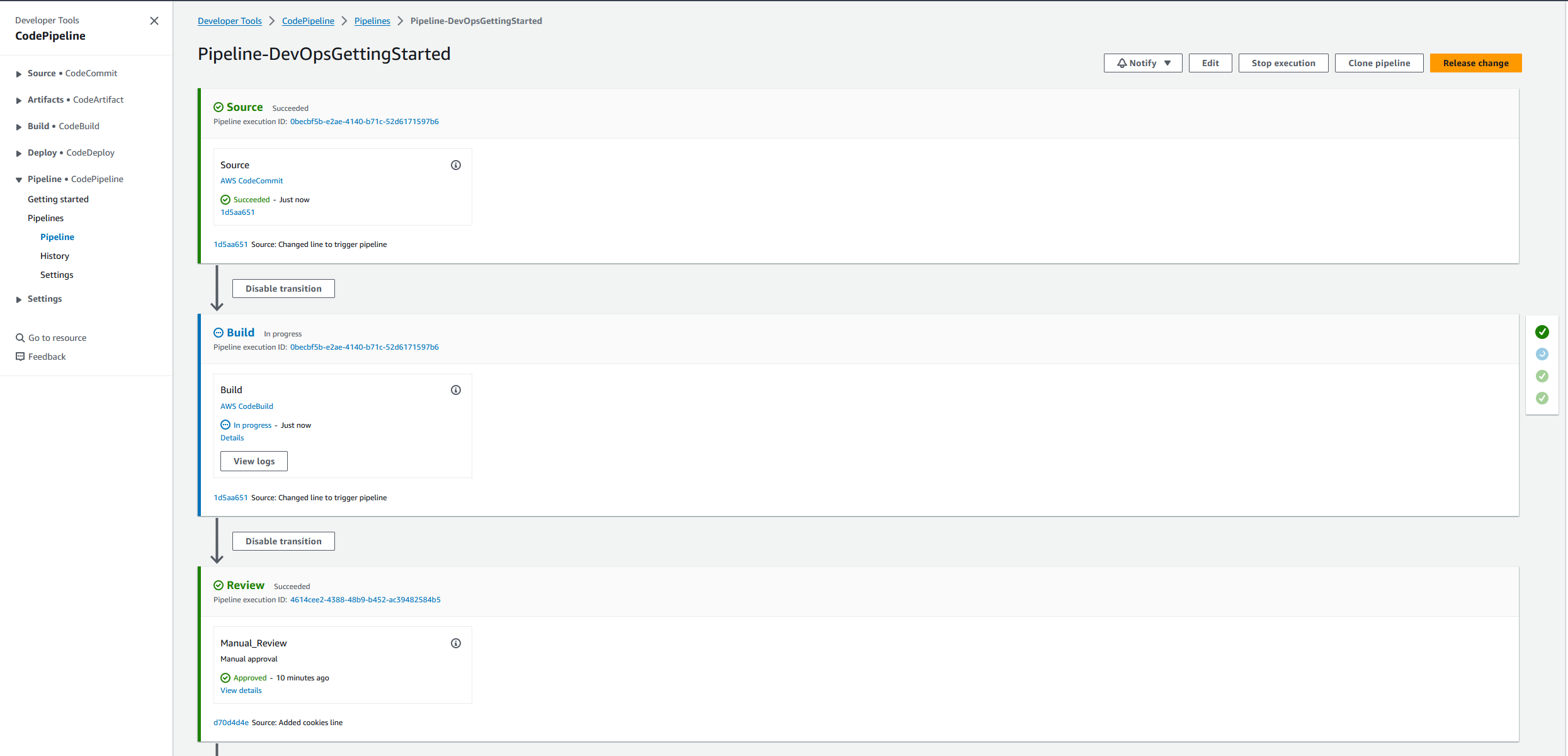
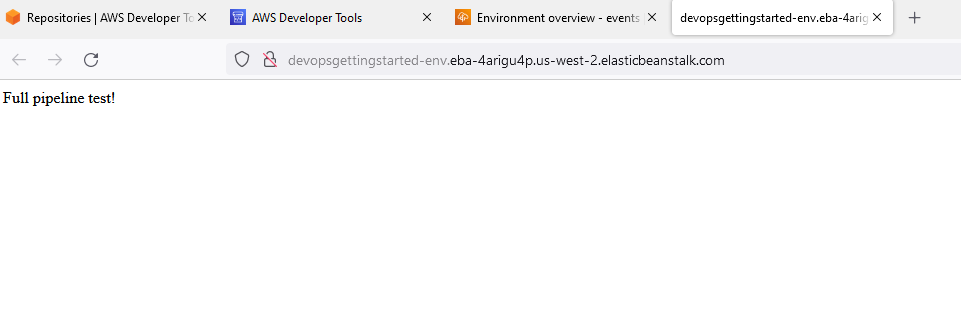
I made a change to the code repository AWS CodeCommit by editing the app.js with a new line and pushed the changes with git to trigger the “Source” stage in AWS CodePipeline.
cd webapp-codecommit-repo
vim app.js
# replace line with "Full pipeline test!"
git commit -m "Changed line to trigger pipeline"
git push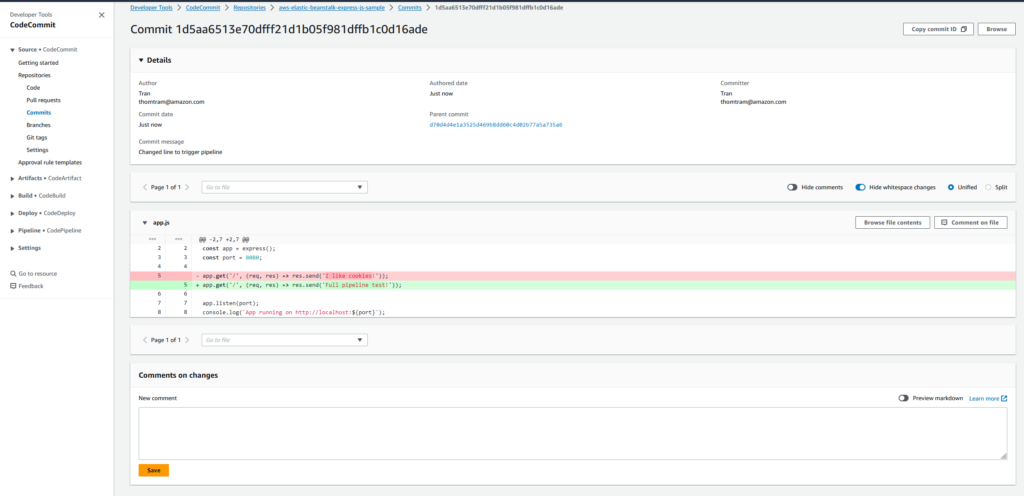
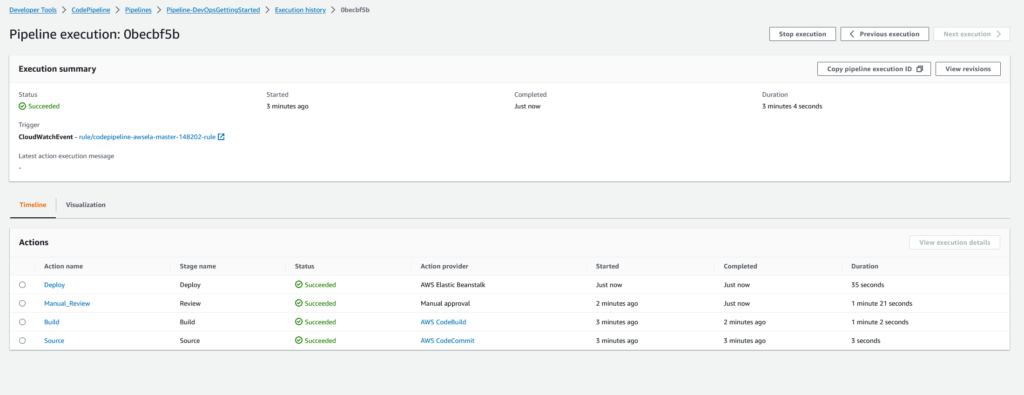
Next the “Build” stage is entered and the npm package dependencies are rebuilt.
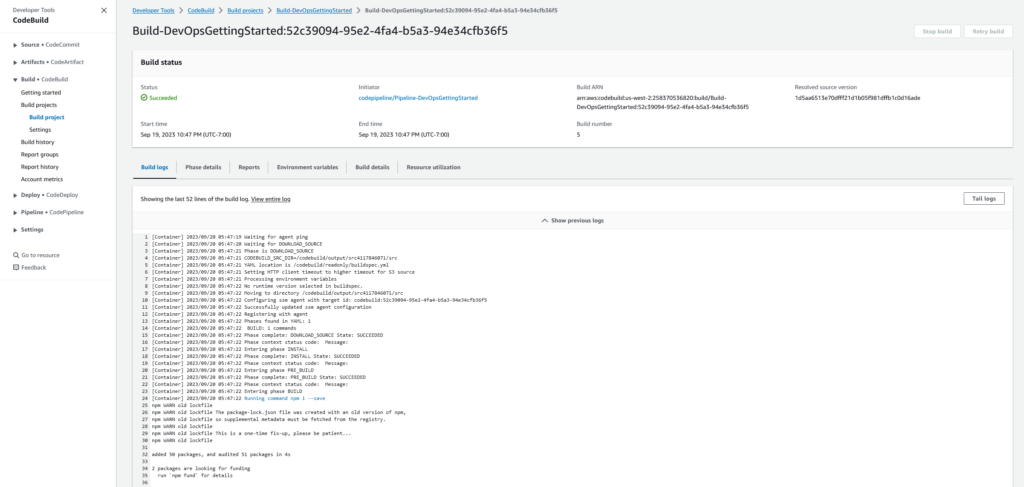
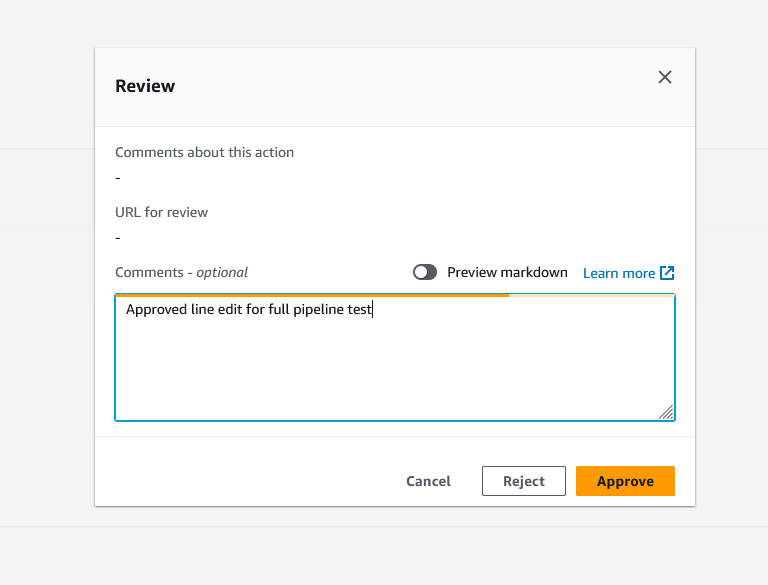
Then the CodePipeline enters the “Review” stage and waits for a user to review the changes (code commit and build status) for approval with a comment.
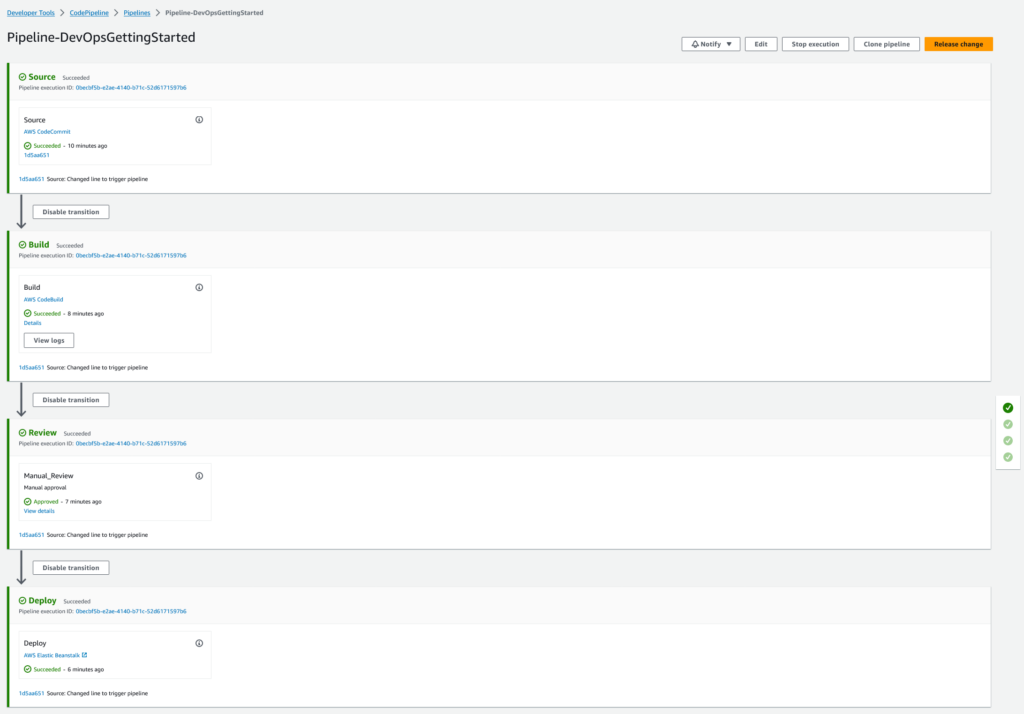
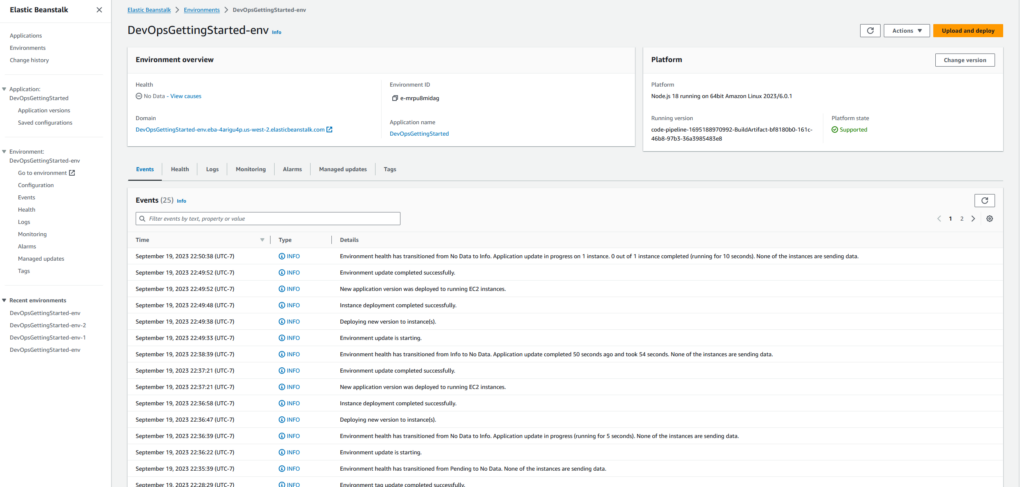
Finally, the pipeline transitions into the last stage “Deploy” to apply the changes to the final web application using Elastic Beanstalk. We see the environment is successfully updated in Elastic Beanstalk and completed.
The final result!
Here is also the final AWS CodePipeline execution history.
Improvements
As always, I have plans to make improvements to this current CodePipeline project. For the review stage, I am planning on integrating it with AWS SES so that it will send an email or text notification to alert a user that the build is complete and is pending user review.